
Installing the 69 togel app on Android
Android users at 69 togel have two installation paths: direct APK download or Google Play distribution. Both reach the same app; the choice depends on your device and region.
To install via direct APK: navigate to your 69 togel account dashboard, find the "Download App" section, and tap the Android link. Your phone prompts you to allow installation from unknown sources (this is normal for APK installs outside Google Play). Once permitted, the file downloads and installs automatically. The process takes 30 seconds to two minutes depending on your connection speed.

Once installed, the app opens to a login screen. Enter your 69 togel account credentials (email and password). If you have enabled two-factor authentication (2FA), you are prompted for your authenticator code. After login, your account dashboard loads with your balance, active promotions, and available markets visible immediately.
The app requests standard permissions: internet access (required for all transactions), notification permission (lets us alert you about promotion deadlines and withdrawal status), and camera access (for optional account verification photo). You can deny camera access and verify your identity through the web portal instead—the app does not force any permission.
App updates arrive automatically through Google Play or as direct APK pushes. We notify you via in-app banner when an update is available. Updates take two to five minutes; your account remains logged in during the process. You do not need to re-enter credentials after updating.
Accessing 69 togel on iOS and mobile browsers
iOS users cannot install a native app directly due to App Store restrictions on gaming platforms. Instead, we offer a progressive web app (PWA) that you access via Safari. This method is simple: open Safari on your iPhone or iPad, navigate to the 69 togel login page, enter your credentials, and you are in your account.
To add 69 togel to your home screen (so it behaves like a native app), open Safari, tap the share icon, and select "Add to Home Screen". This creates a shortcut on your home screen that launches the app in full-screen mode. The experience feels native—you do not see Safari's address bar—and performance is near-identical to a compiled app.
iOS push notifications require a small setup step. When you first launch the app, Safari asks for notification permission. Grant it and you receive alerts about upcoming tournaments, promotion deadlines, and withdrawal confirmations. If you deny it, you can re-enable it later in Settings > Notifications.
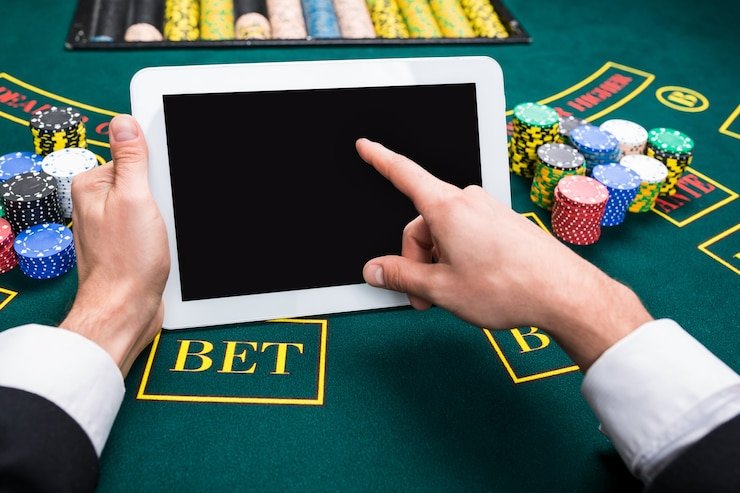


Android users can also use the mobile browser version if they prefer not to install the APK. Navigate to 69 togel in Chrome or Firefox, log in, and the responsive design adapts to your phone. Browser access works identically to the app; the only difference is you do not get home-screen integration unless you add it as a bookmark.
Mobile promotions and referral mechanics
All promotions at 69 togel—welcome offers, weekly cashback, tier bonuses, and referral rewards—function the same way on mobile and desktop. When you log in, your "Promotions" tab displays current campaigns. Eligible offers show a "Claim" button; you tap it to activate the bonus.
Our referral program is particularly convenient on mobile. In your account menu, tap "Referral", and your unique referral link is displayed. Copy it and share via WhatsApp, email, or social media. When someone taps your link and creates an account, we automatically track the referral. Once they verify their identity and deposit, both accounts receive a bonus credit within 24 hours.
- Claim promotions: Tap the "Claim" button in the Promotions tab; the bonus credits instantly to your balance.
- Share referral link: Copy your unique link from the Referral section and paste it into any messaging app.
- Track referrals: The Referral dashboard shows your pending and completed referrals, plus total earned bonuses.
- Withdraw bonus credit: Once a bonus meets any turnover requirement, you can request withdrawal via the Cashier tab.
Mobile security checklist
- Always log out after your session, especially on shared devices.
- Enable two-factor authentication (2FA) in account settings for added protection.
- Use a strong, unique password—avoid reusing passwords from other platforms.
- Keep your device software updated to patch security vulnerabilities.
- Never share your login details or authenticator code, even with support staff.
Withdrawals and account verification on mobile
To request a withdrawal on the 69 togel mobile app, tap the "Cashier" tab, then "Withdraw". Select your payment method (DANA, e-wallet, mobile banking, local payment, online payment, e-wallet, or bank transfer to mobile banking, local payment, online payment, e-wallet). Enter the amount and confirm.
If your account is not verified, the app prompts you to complete KYC. You can upload identity documents (national ID, passport, or driving licence) and proof of residence directly from your phone's camera or photo library. Tap "Upload", select the document, and submit. Our verification team reviews submissions during business hours.
Verification typically completes within two to three business days. Once approved, your account is eligible for all withdrawals. If your submission is unclear or incomplete, we send a notification asking for a re-submission. The process is straightforward and transparent within the app—you always see the status of your verification request.
Withdrawal processing depends on your payment partner. Most mobile banking, local payment, and online payment transfers settle within business hours. Bank transfers may take until the next business day. We do not set a fixed timeline, but we keep you informed via push notification when your withdrawal is processing and when it completes.
Managing account settings and security on mobile
All security features at 69 togel are accessible from mobile. In your account settings, you can change your password, enable two-factor authentication (2FA), review your login history, and adjust notification preferences.
To enable 2FA, tap "Security" in settings and select "Enable Two-Factor Authentication". The app walks you through linking an authenticator app (Google Authenticator, Microsoft Authenticator, or Authy). Once linked, each login requires both your password and a six-digit code from your authenticator. This prevents unauthorized access even if someone obtains your password.
Password resets work seamlessly on mobile. If you forget your password, tap "Forgot Password" on the login screen, enter your email, and check your inbox for a reset link. The link opens directly in the 69 togel app, and you can set a new password instantly. Be sure to update your authenticator code during reset if 2FA is enabled.
Your account dashboard also shows your recent activity log—all logins, withdrawals, deposits, and game activity are listed with timestamps. Review this monthly to spot any unauthorized access. If you notice suspicious activity, contact our support team via the "Help" tab in the app.
Mobile app experience: a deeper dive
Mobile-first experience
The 69 togel mobile app and browser version are designed with portability as the core principle. Our interface scales from small phone screens (4.7 inches) to tablet displays (10 inches) without loss of functionality. Buttons, text, and game feeds remain readable and tappable across all sizes. Push notifications keep you informed about time-sensitive promotions—when a weekly cashback period is about to end, or when a major tournament like Liga 1 or Piala AFF is starting with new markets available, we send an alert so you do not miss out. Low-data mode is available in settings; enabling it compresses images and reduces video quality for users on slower mobile networks. This feature is especially helpful during peak traffic hours or when you are using mobile data instead of WiFi. We process all transactions (deposits, withdrawals, referral claims) without requiring data-heavy assets, so critical account operations work reliably even on 3G connections.
Android app installation
Android installation at 69 togel begins with downloading the APK file directly from your account dashboard or from our mobile app page. The file is approximately 45–65 MB; download time depends on your connection but typically completes in two to five minutes. Once downloaded, your phone prompts you to allow installation from unknown sources—this is a standard Android security measure. Grant permission, tap the APK file, and installation starts. The app installs to your home screen automatically; you see the 69 togel icon immediately after completion. We sign all APK files with our security certificate, ensuring the file is authentic and has not been tampered with. If you prefer, you can also install from Google Play where it is available in certain regions; both paths deliver the identical app experience. After installation, all app updates are delivered automatically—you do not need to manually download new versions. The app stores your login session locally, so you do not need to re-authenticate every time you open it (though you can log out manually if desired).
iOS access notes
iOS users at 69 togel access the platform via a progressive web app (PWA) through Safari. Open Safari, navigate to 69 togel, and log in with your credentials. The PWA behaves like a native app—full-screen interface, home-screen icon, offline fallback pages. To add it to your home screen, open the Share menu in Safari (the square with an upward arrow), scroll right, tap "Add to Home Screen", and confirm. A shortcut appears on your home screen; tapping it launches the app in full-screen mode without the Safari UI. Push notifications work when enabled in Safari settings; grant permission when first prompted, and you receive alerts about withdrawals, promotions, and tournaments. The PWA syncs your login session across all your Apple devices—sign in once and your iPad, iPhone, and Safari on Mac all remain logged in (assuming you are using the same iCloud account). Performance on iOS is fast; Safari's JavaScript engine renders our live-table streams and sports markets smoothly, even during high-traffic periods around Liga 1 or Piala AFF fixtures.
Web app and browser version
The 69 togel web app (accessible at 69togel.id) and the mobile app share the same backend but differ in presentation. The web version is optimised for desktop screens but is fully responsive and works on mobile browsers too. If you prefer not to install the Android APK, simply open Chrome or Firefox on your phone and log in via the web. The responsive design adapts to your phone's width automatically. Key difference: the web version does not offer home-screen integration on Android (the PWA adds it on iOS), and you must manually log in each time you close and reopen the browser (unless you enable browser password save). The web app is useful if you switch devices frequently—travel between Jakarta, Bandung, and Medan, for example—because you access it anywhere without installing anything. Desktop version is best for large screens, multi-tasking, and account management (withdrawals, verification uploads, promotion claims). The mobile app on Android is best for consistent daily use, because it persists your session and sends push notifications. Choose based on your usage pattern.
Data usage and optimisation
Our mobile platform at 69 togel uses several strategies to minimise data consumption. Live-table streams are adaptive bitrate video—resolution and quality adjust automatically based on your connection speed. On 4G or WiFi, you get full HD video; on 3G or slower networks, the quality drops to 720p or 480p to prevent buffering. Images throughout the app use lazy-loading—they load only when you scroll them into view, not when the page loads. This saves bandwidth if you navigate past image-heavy sections without scrolling all the way down. In settings, you can enable "Data Saver Mode", which further compresses images and reduces auto-play video features. We also cache your account dashboard locally—your balance, recent transactions, and promotion status load instantly after you first access them, even if your connection is momentarily slow. Tournament fixtures and odds for Liga 1, Piala AFF, and esports markets (Mobile Legends, Free Fire, PUBG Mobile) are cached too, so you can browse available markets offline and place bets once you reconnect. Overall, a typical weekly session of checking promotions, viewing two live tables, and checking sports markets uses 80–150 MB depending on video quality and engagement.